Introduction to Delegaris
Delegaris lets people who have no AWS access start, stop and keep on the machines they need, across any number of AWS accounts, within rules you set.
A developer who needs a test server after six o'clock, a support analyst who has to restart a stuck application server, a team that wants its UAT environment on for a release evening: each of them signs in with their usual Active Directory or Microsoft account, sees only what an access rule gives them, and acts on it. Nobody needs an IAM user, a console login or a CLI profile, and the hosting team keeps ownership of the schedules.
Delegaris is self-hosted and free: one Docker container, or a native Linux service, on your own server (or two or more, for high availability), talking to your accounts through narrow IAM roles you create. It is made by Goodhall Solutions and free to use under the Delegaris Free Licence.
What it manages
| Service | Stop | Start |
|---|---|---|
| EC2 instances | Stop | Start (and reboot) |
| RDS instances | Stop | Start (and reboot) |
| Aurora, DocumentDB and Neptune clusters | Stop the cluster | Start the cluster |
| Auto Scaling groups | Size set to zero | Back to the size it had |
| ECS services | Task count set to zero | Back to the count it had |
| EKS managed node groups | Size set to zero | Back to the size it had |
| Redshift clusters | Pause | Resume |
| SageMaker notebook instances | Stop | Start |
| Lightsail instances | Stop | Start |
Each account manages the services you tick for it. See Supported services for the details.
Key features
- Keep on past the schedule - someone who needs a machine after hours picks a time. Delegaris takes the schedule tag off so your scheduler leaves it alone, reminds them before the time is up, then stops it and puts the tag back. Works with AWS Instance Scheduler, Systems Manager Quick Setup and home-built schedulers, with one schedule tag or separate start and stop tags.
- Book ahead - keep a machine on for a window booked in advance, once or every week.
- Access rules - give an AD group, an Entra group or one person chosen actions (start, stop, reboot, keep on, tags, Remote Desktop) on a slice of the estate, by account, type, region, tag or name, with exceptions and an optional end date.
- Approvals - a rule can say its actions need someone's agreement first; approvers decide on the web page or with buttons in Slack.
- Request access - people ask for what they do not have; administrators grant it as a rule, usually for a limited time.
- Server groups - a database and the servers that need it start in order and stop in reverse, as one action.
- Remote Desktop - people with the right download a ready-made
.rdpfile for a Windows machine, with its current address and no stored password. - Protected resources - tag domain controllers, firewalls and the like so only administrators can touch them.
- Sign-in - Active Directory (LDAP or LDAPS), Microsoft Entra ID, or both, with optional two-step sign-in from an authenticator app.
- Notifications - Slack messages to the person, and an event stream to Microsoft Teams or any webhook.
- Reports and audit - who kept what on, for how long, why and roughly what it cost; who did what; every action recorded, and the log copied to S3 for a SIEM if you want.
- Cost estimates - what a machine costs an hour, what its schedule saves a week, and what a keep-on will cost, from AWS list prices.
- API tokens - for scripts and pipelines that start an environment before a run and stop it after.
- Branding - your organisation's name, logo, icon and colours.
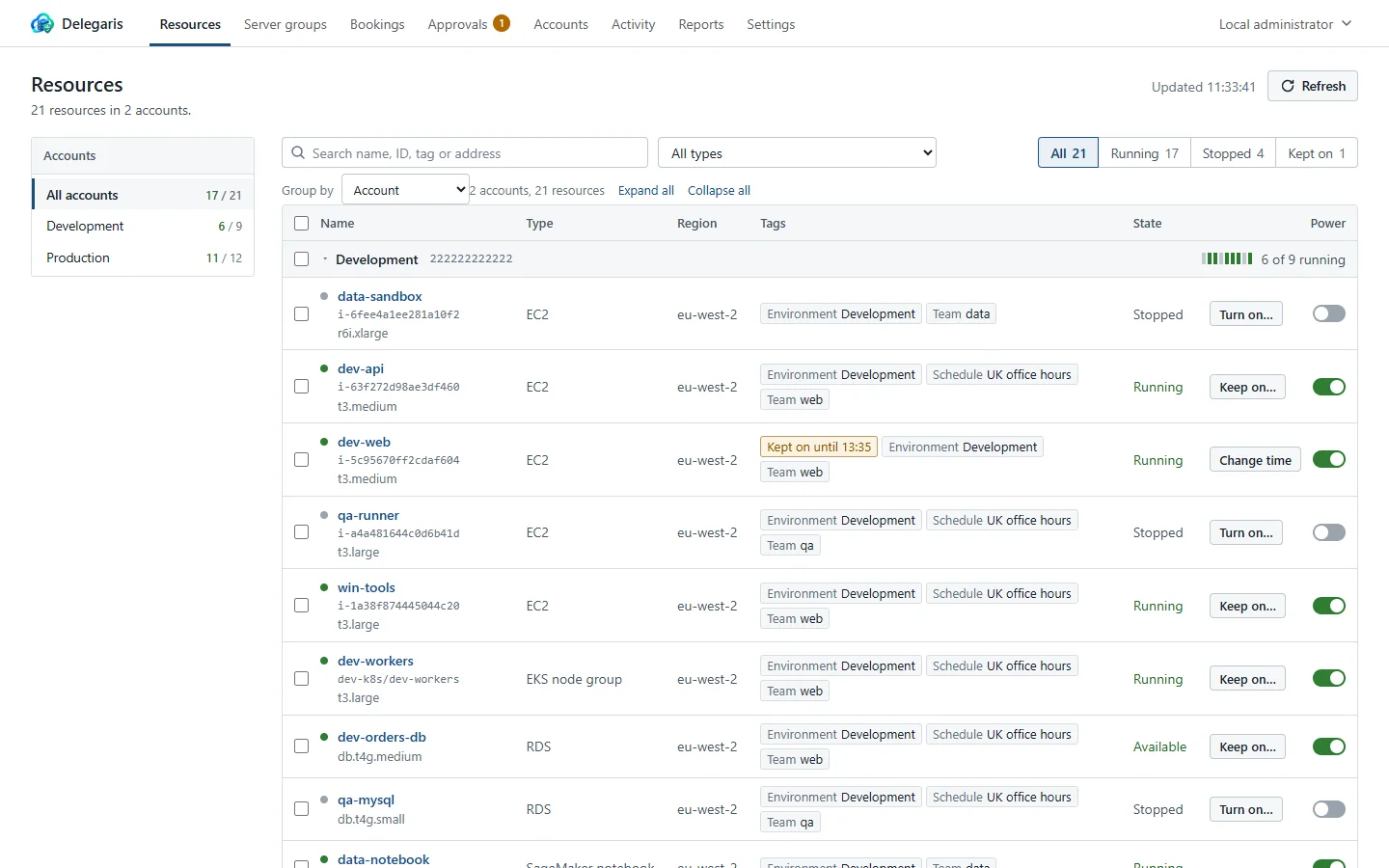
How it works
  People (browser)                 Delegaris                         Your AWS accounts
 +----------------+   HTTPS   +-------------------+   AssumeRole   +---------------------+
 |  AD / Entra    | --------> |  one container    | -------------> |  DelegarisRole      |
 |  sign-in       |           |  (or a cluster)   |                |  in each account    |
 +----------------+           |  SQLite or        |                |  start, stop, tag   |
                              |  PostgreSQL       |                +---------------------+
                              +-------------------+
                                 |   Slack, Teams, webhooks, S3
- Delegaris runs with an AWS identity of its own (an EC2 instance role, access keys, or an IAM Identity Center sign-in) whose only job is to assume a role in each account you connect.
- Every action is checked against the resource's tags as they are in AWS at that moment, not against what the browser showed.
- Actions carry the person's name into CloudTrail (
delegaris-<username>), and Delegaris keeps its own activity log as well. - Everything it remembers (tag values it took off, keep-ons, rules, settings) is in one database, backed up nightly.
Where to start
- Install it with Docker Compose or on Linux without Docker, or try the demo with simulated AWS first.
- Work through the Getting Started Checklist.